Classic Solitaire: Card Games
CYBERNAUTICACard
4.5193.00 Reviews
- Version
- 4.9
- Installs
- 1.00M
- Age Rating
- Everyone
Screenshots
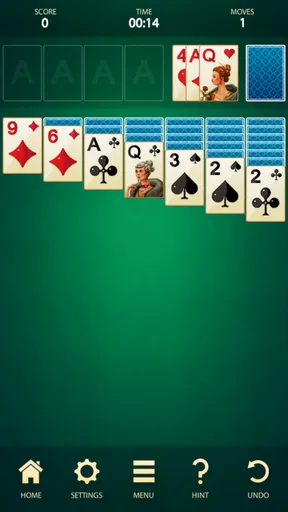
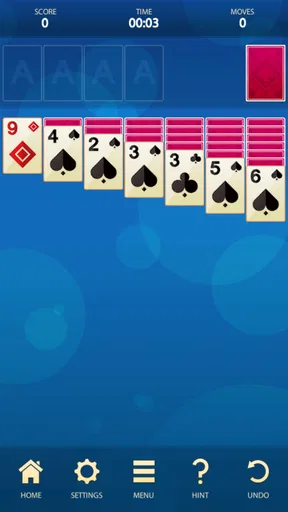

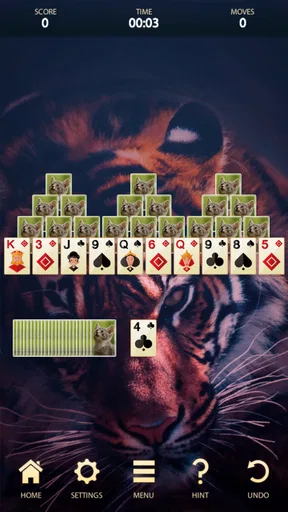
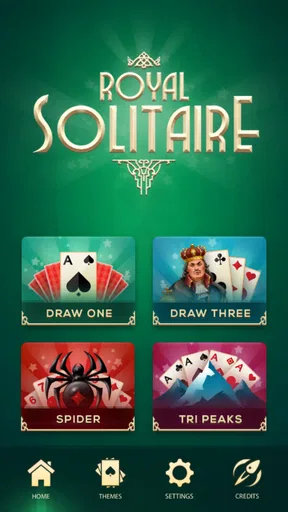
Our Review of Classic Solitaire: Card Games
 Analysis by Appyee
I spent time with Classic Solitaire: Card Games as the kind of player who wants a quiet card game that starts quickly and does not demand a large time commitment. Its appeal is straightforward: it brings the familiar solitaire experience to a phone, with a selection of classic card games gathered into one free app. I found it easiest to enjoy in short sessions, when I wanted something focused but not intense.
Developed by CYBERNAUTICA, this card game has a 4.5 average from around 5,200 ratings and has passed one million installs. Those figures suggest that it has found a broad audience, but popularity is not the main reason I would recommend it. The real strength is its low barrier to entry. If you already know solitaire, you can begin immediately; if you only remember the basics, the familiar layout makes the rules easy to rediscover.
The app is free and rated for Everyone, which makes it suitable for a wide range of players. It was released on September 16, 2017, and the current version is 4.9, with Android 7.1 or later required. That combination also makes it a practical option for people using an older Android phone rather than looking specifically for a modern, feature-heavy card game.
How a normal session feels
My usual workflow was simple. I opened the game, chose a familiar solitaire format, and played without treating each round as a major challenge. That matters because solitaire works best when the interface stays out of the way. I do not want to learn a complicated menu system before dealing the first cards, and this app is aimed at that uncomplicated routine.
A typical session fits naturally into everyday gaps: a few minutes while waiting for an appointment, a quiet break after lunch, or a short wind-down before putting the phone aside. I especially liked that the game does not require another person, a fast internet conversation, or a long uninterrupted block of time. You can stop after a single deal without feeling that you have abandoned a larger match.
The best use case is therefore not competitive gaming. It is a small mental reset. Moving cards gives the mind something concrete to follow, while the pace remains under your control. Some deals are solved methodically, while others become exercises in spotting the right order of moves. That variation keeps the basic format from feeling completely automatic.
Players who have only used the solitaire game traditionally associated with desktop computers should feel at home. The central activity remains arranging cards according to familiar rules, uncovering hidden cards, and building the appropriate sequences. I would not choose this app for elaborate storytelling, social play, or a deep progression system. I would choose it when the point is simply to play cards alone.
The first habit I recommend
Before trying to play quickly, I suggest spending a few rounds learning how the app presents its different games and controls. The store summary describes a collection of classic solitaire card games, so the useful first step is to identify which format matches your mood. A familiar mode is better for relaxed play; a less familiar one can provide variety when the standard layout starts to feel repetitive.
I also found it helpful to pause before making an obvious move. In solitaire, the first legal move is not always the best move. A card that can be placed immediately may be more valuable later if it helps reveal a hidden card or preserves flexibility in another column. That kind of decision is where the app becomes more than a simple way to pass time.
For a short session, I use a deliberately modest goal: expose as many concealed cards as possible before committing to a final arrangement. This keeps the round moving without turning it into a frantic puzzle. It is a particularly useful approach on a phone, where a quick interruption may arrive at any moment.
Settings and controls worth checking
Experienced users should look through the available settings instead of accepting the initial setup automatically. I would check how cards are moved, how a new deal is started, and whether the app offers any assistance or presentation choices that make small-screen play more comfortable. I am not treating these as guaranteed special features; the practical point is to learn the controls that are actually present on your device and then build a consistent routine around them.
Card games can feel very different depending on how much effort each move takes. If a tap-based action is available and feels reliable, it can make a short session smoother than repeatedly dragging cards across a narrow display. On the other hand, some players prefer direct movement because it gives them a clearer sense of what they are selecting. I recommend trying both approaches when the interface allows it, then keeping the one that produces fewer accidental moves.
Display comfort is another small but important consideration. Solitaire involves repeated reading of ranks and suits, so I would adjust the phone’s general screen brightness before blaming the game for visual strain. A comfortable viewing angle also helps when a hand is spread across several columns. These are simple changes, but they make a longer session less tiring.
I would also make a habit of checking the current game state before using any reset or new-game control. On a touch screen, a misplaced tap can end a promising deal. Taking a second to confirm the intended action is more valuable than trying to save a fraction of a second. This is one of those habits that sounds obvious but becomes useful after losing a good arrangement to an impatient touch.
Faster play without careless play
Once the controls feel natural, speed comes from recognizing patterns rather than moving every card as soon as possible. I start by looking for moves that uncover a concealed card, because they usually create more information than a move that only improves an already visible stack. New information makes the next decision easier and reduces the chance of locking the layout too early.
Another repeatable habit is to avoid empty spaces unless I already know what belongs there. An open column can be useful, but filling it with the first available card may remove a future option. I prefer to preserve that space until it helps expose a longer sequence or supports a deliberate rearrangement. This is especially important when several legal moves appear equally attractive.
When I have a choice between moving a single card and moving a connected sequence, I consider what the move reveals. A longer transfer may look efficient, but the more valuable action is often the one that opens a hidden card or changes the balance between columns. The fastest successful players are not merely quick with their fingers; they are quick at identifying which move changes the position most.
I also recommend scanning the tableau in the same order every time. I usually check hidden cards first, then empty spaces, then possible moves involving the foundation or completed sequences. A repeatable scan prevents me from overlooking an important option and makes the game feel calmer. It is a small workflow improvement, but it gives the session a sense of control.
For people who play during brief breaks, I would resist the urge to rush the final stage. The beginning of a deal rewards exploration, while the ending rewards accuracy. When only a few cards remain, an unnecessary move can force a restart or close off the solution. Saving attention for that final stretch is more effective than trying to play every stage at maximum speed.
Where the challenge stops
The app’s simplicity is both its advantage and its main limitation. It gives me the familiar solitaire loop, but players searching for a highly competitive environment may want more structure than this kind of experience provides. If your ideal card game includes live opponents, social interaction, elaborate missions, or a large reward system, this is probably not the right destination.
I also would not expect every deal to feel equally satisfying. Solitaire naturally includes rounds that become obvious and rounds that seem difficult because an early choice reduced the available options. That unevenness is part of the genre, but it can frustrate players who want a carefully balanced puzzle every time. The app is better approached as a collection of classic solo card activities than as a precision-designed campaign.
There is also a difference between learning a faster routine and mastering every possible outcome. Settings and control habits can reduce friction, but they cannot remove the uncertainty built into solitaire. A player can make excellent choices and still reach a position with no useful continuation. I appreciate that distinction because it keeps the game from promising a level of control it cannot realistically provide.
Compared with playing solitaire through a browser, a dedicated app feels more direct: I can open a focused card experience instead of navigating through a general webpage. Compared with a minimalist single-game alternative, this version is more appealing when I want to change among classic formats. The trade-off is that a specialist app devoted to one variation may offer a more refined experience for someone who has already chosen a favorite and never wants anything else.
Compared with modern card games built around competition, this one is intentionally quieter. There is no need to compare my result with another player to enjoy a round. That makes it a good choice for private, low-pressure play, but a poor choice for anyone who needs rivalry to stay interested. Knowing that difference before installing it will prevent the most common disappointment.
A practical routine for regular players
If I were recommending a routine to a friend, I would begin with one familiar game and use the first few sessions to make the controls automatic. I would then test the other classic options one at a time rather than switching constantly. That approach makes it easier to notice which format suits a quick break and which one deserves a longer, more thoughtful session.
For a daily five-minute habit, I would choose a deal, scan for moves that reveal concealed cards, and stop when the position becomes unclear rather than making random moves. For a longer session, I would replay the decision points mentally: which move opened the most possibilities, and which move merely looked attractive? This turns repetition into practice instead of simple card shuffling.
One useful trade-off is accepting a slower move when it keeps more choices available. New players often measure progress by how quickly cards reach their final piles, but experienced play is more about preserving options. If two moves appear legal, I favor the one that reveals information or maintains an open route through the tableau. That principle remains useful even when the specific layout changes.
I would also avoid judging the app after one frustrating round. Solitaire can produce a poor first impression when a deal seems blocked or when an accidental touch disrupts the layout. A fair assessment requires trying the available game types, checking the controls, and seeing whether the overall rhythm suits you. The app is designed around repetition, so its value becomes clearer after several short sessions.
My final recommendation
After using it as a casual card game, I see Classic Solitaire: Card Games as a dependable choice for people who want familiar solo play without a steep learning curve. Its free price, Everyone age rating, broad device support beginning with Android 7.1, and collection of classic formats make it easy to recommend to a friend who simply wants solitaire on a phone.
My strongest recommendation is for relaxed players, former desktop-solitaire users, and anyone who enjoys improving through small decisions rather than dramatic features. The app works particularly well when you establish a repeatable scan, check the controls, protect empty spaces, and prioritize moves that reveal information. Those habits give the straightforward design more depth than the short store description suggests.
I would steer competitive players, social gamers, and people seeking an elaborate progression system toward a different kind of card game. This is not where I would look for live matches or a constantly changing challenge structure. Its appeal comes from the opposite qualities: familiar rules, private sessions, and a pace that lets me stop whenever I want.
For me, that focus is a strength. The game does not need to become something grander to justify its place on a phone. When I want a quiet round that rewards attention and can fit between ordinary tasks, it does the job well. If your ideal mobile game is simple to start but still gives careful decisions room to matter, this solitaire collection is worth trying.
Verdict
Strengths of Classic Solitaire: Card Games
- Simple rules make it easy for beginners to start playing.
- Offline support lets you enjoy games without an internet connection.
- Short rounds fit well into quick breaks or commutes.
- Multiple difficulty levels provide a gradual challenge.
- Card animations and sound effects make games feel more engaging.
Limitations of Classic Solitaire: Card Games
- Frequent ads may interrupt play, especially between rounds.
- Some features may require in-app purchases or a premium upgrade.
- Random deals can occasionally feel repetitive over time.
- Small card designs may be difficult to read on compact screens.
- Battery use can increase when animations and sounds remain enabled.
Similar Picks in This Category
View All
Solitaire - Classic Card Games
MobilityWare4.6

UNO!™
Mattel163 Limited4.3

Spider Solitaire: Card Games
MobilityWare4.6

Solitaire.com - Classic Cards
Tripledot Studios Limited4.7

Plants vs. Zombies™ Heroes
ELECTRONIC ARTS4.1

Hearthstone
Blizzard Entertainment, Inc.4.1
Frequently Asked Questions
What is Classic Solitaire: Card Games?
Classic Solitaire: Card Games is a digital version of the familiar Klondike solitaire experience, designed for players who enjoy traditional single-player card games. The objective is to arrange cards into foundation piles by suit and ascending order, beginning with the ace and ending with the king. It is generally easy to learn, although winning consistently requires planning and careful use of the stock and tableau.
Can I play Classic Solitaire: Card Games offline?
In most cases, Classic Solitaire: Card Games can be enjoyed without a continuous internet connection, which makes it suitable for short breaks, travel, or playing when mobile data is unavailable. However, certain features may still require connectivity, including advertisements, analytics, cloud synchronization, online events, or updates. It is worth opening the game once while connected before relying on it completely offline.
Is Classic Solitaire: Card Games free to download and play?
The game is typically available as a free download, allowing users to play standard solitaire rounds without paying an upfront purchase price. Like many free mobile card games, it may include advertising, optional in-app purchases, or premium features such as ad removal, extra customization, or additional game options. Check the store listing and payment settings before downloading if you want to avoid unexpected charges.
What features can I expect while playing?
Players can generally expect classic Klondike gameplay with familiar controls, card movement between tableau columns, foundation building, stock management, and automatic completion options when appropriate. Depending on the version installed, the app may also offer multiple difficulty settings, daily challenges, statistics, hints, undo controls, themes, and personalized card or background designs. Some features may differ between Android and iOS releases.
Is Classic Solitaire: Card Games suitable for beginners?
Yes, Classic Solitaire: Card Games is usually approachable for beginners because the rules are straightforward and each round can be played at a relaxed pace. Helpful tools such as hints, undo buttons, and clear card layouts can make the first sessions less frustrating. New players should still pay attention to hidden cards and avoid making moves that block empty tableau spaces or limit future choices.
Play our best games!


